Skip to content

Tech Dump Archive

  • About
  • Belabox Cloud/OBS Guides
  • Privacy Policy
  • About
  • Belabox Cloud/OBS Guides
  • Privacy Policy
June 30, 2024
Android / Belabox Cloud / iOS / iPhone / IRL / IRL Pro / Moblin / NOALBS / Twitch

Belabox Cloud Guides (Overview)

by Murasama

The following replaces the old write up. (以下は旧記載内容に代わるものです。)

Belabox Cloud/OBS Guides
  • Next Sidekick Clip Shoutout
  • Previous Moblin clips

You may also like

Screenshot Twitch Stream to Discord via Streamer.bot and OBS

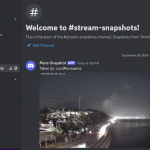
This tutorial is for a channel point redeem that takes a screenshot of a camera source (raw) from a selected scene in OBS Studio (using Streamer.bot), which is then posted into a channel on Discord.  Capturing a screenshot with all of the overlays is slightly more complicated requiring referencing a previously defined scene (and is not covered).  Similarly, an on-stream visual/sound effect are also not covered. An importable action script is located at the bottom (though I recommend also reading through this to see how the script actually works). Please see the note in Step 6 regarding the security considerations...

October 1, 2024
Discord / OBS / Streamer.bot / Twitch

Moblin Picture-in-Picture Multi-camera

This is pretty simple to setup. It involves creating a new scene and new widget (in OBS terminology, this is like adding another source to your scene). The main scene is going to be the rear (outside) camera while the widget will be the front (inside) camera. The low power rear/outside camera source is what needs to be selected for the main Picture-in-Picture scene with this multi-camera setup. 1. Tap Settings, then Scenes. Create a new scene and name it to whatever you want (in this example, I am using “PIP2”). 2. Select your video source. This again is going...

June 12, 2025
iPhone / IRL / Moblin

Tech Dump Archive © 2026. All Rights Reserved.